New courses:WordPress + PHP, HTML5, Systems Design, Business Analysis Training

2012 is going to be a full on year as we launch a number of new courses.
Look out for our new and improved WordPress + PHP course starting soon.
It’s not the run of the mill WordPress course as we add PHP basics to it.; Learning a little PHP goes a long way with WordPress.

With the demise of Flash,  HTML5 is aspiring to be the new “kid” on the block . As there is a trending away from Flash type design (not helped by Adobe’s discontinuing their mobile browser plugin support) and equal richness can be found in HTML5/CSS3; we are looking to be able to deliver this from March 2012.

We are also developing Systems Design and Business Analysis Training courses which a lot of folks that have studied Software Testing/Project Management with us have been asking about.

So exciting times here at Futuretrend. Watch this space for launch dates and news on more courses.

10 Popular Plugins and Shareware for Adobe Illustrator

Adobe Illustrator is a leading vector image editing application, made even better because of its plug-in platform, which allows illustrators to customize the program according to their needs. Currently there are plug-ins that fit almost any requirement you might have. The following are 10 very popular plug-ins used by  graphic designers.

1. Art Files made for Mac – This is a collection of files that makes keeping track of documents, linked images and fonts easy, allowing users to “Point and Click” to select objects. This plug-in supports Illustrator versions 8, 9 and 10 for Mac computers.

2.  Artlandia LivePresets -This plug-in works for both Mac and Windows users. It allows you to insert patterns and symbols that can be edited. Any artwork you link updates interactively.

3.  FlexoStepX – This is a quicker way of repeating the steps and fixing mistakes in label packaging artwork.

4. Hot Door Perspective– Allows users to make realistic compositions with oblique,

FoldUP! 3D – Making dimensional design in Illustrator a whole lot easier!

isometric objects placed over an adjustable background grid.

5.  FoldUP! 3D– This plug-in allows an illustrator to test packaging designs digitally, eliminating the need to create a 3 dimensional test prototype.

6.  Live Pen – Gives you interesting typography and calligraphy options. This plugin is only available for Illustrator CS, CS2 and CS3.

7.  LogoSource -This is a collection of tracing and guide tools that help you edit scanned images.

8.  Vector Scribe-This tool helps you create and edit curve handles. It improves on illustrators measuring abilities.

Edit and create vector artwork faster, smarter and dynamically

9. Path Styler Pro – This plug-in uses paths to make beleveled images that don’t need to be softened.

10. Virtual Mirror Vector Studio – These are 8 tools that include shape editing, texturing, and color editing abilities.

So we’ve had a look at a good number of popular plugins used by designers working with Adobe Illustrator. Most importantly though its essential to learn the various Illustrator features  & how they work. Futuretrend’s Adobe Illustrator training courses provides a good option to help you get started in your quest. Just like you have to learn how to change gears, push on the gas pedal, control the steering, switch on the AC & the fan, etc. in a car, you have to invest some time in learning how features work in Illustrator works before you start experimenting with plugins that can add some serious 00mph! to your work.

3 things you need to do to clinch your first Software Testing job

A software test analyst reviews software functionality and documents the testing of that software.  Essentialy, a tester will read through specifications of an application and create test conditions to check that it works as specified.
As no particular programming knowledge is required there are very few barriers to entry and  therefore it has become a very competitive field. In 2012, landing a job as a software tester will require you to completely stand-out amongst other applicants. By following a few practical tips, you can easily get that interview you need to move you to next base.

CV

Software Testing isn’t for dummiesOne of the first things you need to focus on is your CV, as this is your advertising medium. It is your opportunity to demonstrate your capability as the best person for the job. Moreso, you need to prove that you understand what an employer is looking for. Your services as a Software Tester are an essential element to a company’s reputation and as such they need to know how reliable, responsible and serious you are.

So firstly, don’t just go and copy any old bog-standard CV template that you find. Many of them are really appalling! Your formatting is very important here so be certain to use nothing less than 11 pt and either Arial or Sans-serif font.
Secondly, always include a covering letter. I cannot stress how important this is. Here you can focus on what the employer wants and prepare a list of your skills that matches that job requirement. Highlight these skills within your CV. State your objectives clearly but keep it all short, only one to two sentences. Be sure that any skills you have in software testing are emphasised. Avoid writing your life story and irrelevant interests in your CV. I once read on a CV sent to me “I have a dog called Muggles and just as parents love children and children love parents, I love my dog and my dog loves me” Seriously? If you are applying for a dog-walking position fine but on what planet would this be of interest to anyone in IT?

I could write a whole book on CV do’s and don’ts but this isn’t the forum for that. My final point on the matter is don’t turn yourself into a bullet-point Billy or Belinda (every one does that!) I really want to read your timeline as a tester; don’t just tell me what you did, tell me why you did it and what the result was.

 Get Experience

If you don’t have relevant software testing experience, then get some by all means possible. This is invaluable; so try amd get some specific practical training working on dummy or real live projects. There are many of these available on the Internet. Look for software programs like inventory management software to work on. Download the software and documentation and follow the testing process. Get your work evaluated by other software testing professionals.


If you require a training course to hone your skills then ensure that you will be working on practical exercises just as you would if you were at work. Better still if you can find an internship/work experience scenario Even if’s unpaid take it! Some people will give their left arm for the opportunity!

Certification

OK I’ve left this last deliberately –  that’s because it’s the least important of the three
(imho). Employers these days will not even consider applicants that only have a theoretical overview ISQTB qualified or not. As laudable as that may be (becoming certified), what they will need you to demonstrate is knowledge of real world Testing scenarios and solutions.
So why become certified ? To understand testing methodologies and processes. More importantly, to get your nose past the glorified gate keepers aka recruitment consultants. Yes, those agencies will throw in the kitchen sink along with all sorts of qualifications and skills that they deem to be essential for you to have before applying to their testing role. Most of them really don’t have a clue as to what their client is looking for but are continuously regurgitating the same old job template they’ve been using for the last 5 years.
So get your certification by all means but don’t rest on that as the other two are far more important. Good luck !
Femi Lana is the Managing Director of Futuretrend Technologies Ltd who run training courses  for aspiring software testers via CareerTesters.com

Studying CeMAP solo? Here are some questions you need to ask yourself

So you’ve started out on a new career path and if you get through this first hurdle (CeMAP) then it would be the beginning of a bright future as a mortgage advisor. Yes, times may be hard at the moment but it’s a sector that will see brighter days again. After all, we are a nation of homeowners aren’t we? The desire for owning property is never going away and once the lending criteria eases up or the economy gets better….you’ll be the one smiling.

Lots of cemap books to studyHowever, CeMAP qualification stands in your way and you’ve got to crack this first. It would really be too embarrassing to tell your family, friends, and colleagues that you failed your CeMAP certification exam.

If you add up your investment in time, money and emotion, it doesn’t make sense to take the exam with any lingering doubts. You need to take the exam with confidence and be ready to pass!

Be honest and ask yourself these questions.

Have you really put in enough study time?

When you were studying did you really “get it” or were you just turning pages?

Do you know your weakest area in the CeMAP syllabus?

Are you consistently scoring over 70% in each unit?

Do you know the answers to the questions before you even see the answers?
Are you guessing at the right answer a lot?

Do you know how it feels to take the actual CeMAP exam?

Are you willing to keep on paying extra to retake the exam?

Are you confident that you will pass on your first try?

If you answered NO to at least one of the questions above, then you may need some help to get you over the line.  It can be very frustrating studying CeMAP on your own. The subject matter is not the most riveting. It helps when you have experienced CeMAP tutors that can help you make imaginative connections to the material.  It’s even better when you have a study group for motivation, support and of course to share your success with!

10 Tips for designing an effective online training course

Designing for an online training course is very different from designing typical web pages. Web sites used for training should ideally have video, audio and a lot of interactivity.
Both participants and trainers must be able to access learning materials, presentations and information from the website, make changes, additions and deletions as needed. The website must be attractive and interesting, yet pages need to remain uncluttered so participants can access needed tools on the web site.
To get the interactivity required for such online training websites, there are times when other 3rd partysoftware applications can be implemented to enhance the user experience.
The following 10 tips can help you plan for the design of your  online training web site.

1. Keep the number of clicks needed to get to your online training materials to a minimum.
Eliminate unneeded folders. Most materials should be at root folder level.

2. Un-clutter pages. Although you may have a need to use several tools for students, you may not need to use all of these tools for every training session.
Remove or high radon use tools to get them out other participants way.

3. Implement some sort of LMS (Learner Management System)  like Blackboard or Moodle.
These software applications allow trainers to place assignments, information or quizzes on the web site, and participants to upload assignments and information for the trainer.

4. Implement other applications that also make your training material interesting.
This can include video, slide show presentations or Prezi presentations. Include podcasts and other training materials that can be used directly from the web site.

5. Consider creating your own video to welcome and greet participants.

6. Include course objectives with each activity and assessment.
Avoid unnecessary written material. Observe how participants approach each activity and how this helps them achieve outcomes from the cours.

7. Make grading easier and remember that not everyone is going to be learning at the same pace.

8. Implement a blocking platform on the web site, as this will allow you to post objectives, announcements, videos, discussions, news, and virtual office hours. Visit your courses frequently, if you don’t like going to your courses, chances are training participants won’t either.

9. Update frequently to keep your participants coming back to your online training courses. Keep material interesting up-to-date and innovative.

10. Give personalized feedback in small short sentences. Participants don’t often want to read pages long feedback material, but a quick feedback sentence or two improves their self-esteem. Not all training websites are created equally and you may want functionality that others don’t require. This of course depends on your training material and courses offered.
It depends on the number of participants taking online training and whether the training is wholly online or a combination of both online and hands on training methods.
The  tips above are only a guideline as to the features you may need.

Review of 3 popular conferencing tools used for Virtual Learning

Conference calling has long been a must have in the corporate environment, and now as the education and training sector wakes up to the massive benefits there is increasing need  for improved call quality, efficiency and cost control. However, choosing a program that fulfils specific requirements allowing for several people to participate at the same time without lags or slow downs, video integration and interaction, ease of use and voice clarity can be challenging.

 As a trainer, teacher or corporate manager you need to communicate with participants and preferably through an inexpensive, easy to use conferencing call software program. Although, this may seem like a simple request, it is not that straight forward as some conference call applications only allow for a small number of participants and even then there can be a dropped call quality when the maximum number of participants join a video call. Certainly factors like, computer equipment and Internet speed also influence the call quality, but choosing the right conference video call application for your needs is a key factor in using the latest video conference call technology efficiently.

 Skype

If it is true that with age comes wisdom then Skype is a bit of a pioneer in this arena. This service began in 2003 and has continually added features and applications since then. Through Skype a person can video conference with anyone any place within the world. Features include those that allow users to make computer to phone calls very inexpensively, but a few of the newer features include video conferencing capabilities for up to 5 people and a feature that allows users to share documents, white board information and videos, all by sharing the callers computer screen. All of these features range in price from either free to a few pounds a month. Of course, teams that need more features and capabilities like the ability to add up to 5 video callers a day and high capacity screen sharing capabilities should opt for the paid group calling option. 

 Go to Meeting

This conferencing program has a few more integrated features. For instance it allows you to hold meetings with others even if they haven’t signed up for the application, simply by allowing you to send them a direct link to the meeting. There is no need to give any training as to the use of the application. The program allows for keyboard and mouse control sharing, meaning it allows both you and the participants to share and make notes and share computer screen applications. Go to Meeting also allows users to record and playback any online meeting for later reference or distribution to other members of the meeting. But unlike Skype the features are not free. There is either a monthly or annual membership fee, but the program allows you to host meetings of up to 15 participants.

 Adobe Connect

This Adobe application allows you to customise your online meetings with up to 25 participants. It has a high degree of customisation, but is more complex in use, and requires users to be familiar with online training and meeting needs. The pre-configured templates help users conduct different types of training and collaborative activities. As the features are more intensive, the application does come at  a monthly cost. If planning on having meetings of 25 attendees then this may be the option for you, but otherwise a smaller and easier to use application like Go to Meeting may be the solution.

 At Futuretrend we have found skype works pretty well  for our CeMAP Home Study training sessions with tutor support. We have also trialled it with Software Testing classes but restrict this mainly to non-practical concepts and methodology  classes. 

In reality there is no One-Best Internet conferencing software program, as each offers different features. You should make your decision based on your training needs, the number of participants and the screen sharing or white board features you need.

Why you should find time for training (especially when you haven’t got any!)

Often companies and management view training as a secondary need or a luxury instead of an organisational necessity. There seems to be an absurd fear of investing in and then losing a well trained employee. The fear is in making the investment and losing it. Too many times a manager will ask: “What if I train employees and they leave?” But in this day and age, a company should instead be asking “What if I don´t train my employees and they stay?” No longer can any company afford not to offer the latest training techniques for their employees, the business world is just too competitive and ever-changing. By keeping untrained employees over a period of time, you hinder your company, become outdated and are unable to compete in your industry.

Too many managers see training as a feature or a gift instead of a necessity. So, when cut-backs occur it is often the training that gets put out of the way. The problem is: many managers really do feel that “Training negatively affects an employees work efficacy.” Instead of realizing that the newly learned techniques will improve the staff’s overall capability, work habits and work management.

The attitude is usually: “Training is great, so long as there is extra money, and it doesn’t take the staff away from important work tasks.”Unfortunately, those that believe this to be true, usually have a real training, staff and efficiency problem. Businesses that train are prepared for business survival and to outperform others in every aspect of development, production and innovation.

Training is about building an individual’s skill level and improving his/her education in all things related to the industry sector they compete in. Companies that train experience several benefits including:

  • Better Job Recruits-Job candidates are now looking for a work environment that offers more than just money. They want an environment that fosters personal development. A company that offers an effective training program has better job candidate options.

  • Motivation-the more motivated you keep employees the higher job retention you will have. People that work for a company that cares about personal growth are more likely to stay at the company.

  • Productivity-Companies that offer training often have better employee productivity and consequently higher revenues.

But as in all corporate strategy implementation, if TRAINING is not supported from top management, it will be ineffective. All levels of a company´s management must understand the importance of training as a process and know that it is not a single one time learning event. A company that touts the “Corporate University” status must be committed to developing a learning environment.

 An ideal training and learning environment means management will include it in corporate communications, business plans and performance goals. By involving management in the training process, conducting appraisals, updates and goals, personnel will understand that there is a direct correlation between training and career success.

However training is about more than just placing a teacher in a classroom. It is about effective, dynamic and hands on training methods. As an organisation considering training integration, you need to analyze quality training and delivery methods. As the saying goes: I hear-I forget, but if I see and do then I understand. This is what efficient and qualitative training is about. It is not only explanatory but also hands on and team participative, making the process really effective and allowing the participants to use the knowledge they receive in the work environment.

Mac vs. PC

Mac vs. PC

Mac vs. PC – This is a legendary debate which has been going on for years & will most likely continue for years to come. Many people believe that if you are an artist or designer you must use a Mac & if you are a business that predominantly uses written documents or spreadsheets then a PC is for you.  Maybe in the 90’s this belief was valid but is that still the case today?

After reading through many blogs on this topic I have come to the conclusion that Mac’s & PC’s are very similar & ultimately it comes down to your personal preference.

I specifically want to know if there is any significant difference between a Mac & PC when using Adobe creative suite software. The Adobe creative suite contains various design software which is tailored towards specific needs / industries. So I will only look into the areas relating to the design industry.

The Handling Of Graphics, Colour & Type;
For a designer this is probably the most important factor in their decision making when choosing which type of computer to work on. Apple have always made a huge effort to make sure that their product was leading the way in terms of dealing with graphics, colour & type. Over the years the difference between the two machines has been vastly reduced, however Mac’s are still slightly better than PC’s in this category.

Usability;
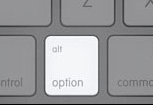
Regarding usability I strongly believe that it mainly comes down to personal preference. I’m a PC man myself but I used Mac’s for 3 years whilst I was at university but I always found the Adobe software easier to use on my PC. This was mainly due to all the small differences, I was just used to a PC where all the small things were 2nd nature, but with a Mac I had to remember them. It’s similar to driving two different cars or playing the Xbox & PlayStation, it’s essentially the same, you just have to adjust to the minor differences.  Really the main difference between the two machines are the shortcuts. The key fact to remember is that the ‘alt’ & ‘option’ keys do the same job & are interchangeable.


So whether you use Dreamweaver, Photoshop, Illustrator, InDesign or Flash or any other Adobe software you can find all the shortcuts you will ever need here.

Conclusion;
In conclusion, I agree with the common consensus that Mac’s are the best computers for designers to use & this opinion is purely based on the fact that Mac’s handle graphics, colour & type better than a PC. But it is important to mention that this is only noticeable when dealing with high end designs. For anyone starting I would suggest that you choose the computer that best suits you. Ultimately your creativity & software knowledge will determine the outcome of your work, not the spec of your computer.

Futuretrend provides training to those who wish to learn how to use the Adobe software & to those who already possess basic knowledge of the software but wish to build upon that by learning more advanced techniques. So check out our courses: http://bit.ly/mPeNyg

Advance your knowledge > Enhance your potential

http://www.futuretrend.co.uk/

Dreamweaver web design learning dillema: attend a classroom course or study online?

Adobe Dreamweaver is the most popular web design tool around as such many small business owners purchase a copy with a view to becoming skilled enough at  web design in order to create or maintain their web sites.

Indeed there are tons of dreamweaver tutorials online which are somewhat useful,comprehensive and competitively-priced but invariably, they seem targeted towards people who want to build really fancy sites for other people as paid website developers, rather than you as a busy small business owner, a hobbyist or a member of staff that just needs to learn how to update the company web site. The learning curve is not just steep but you have to wade through a maze of technology at the same time. Try taking an online tutorial on divs, float settings & the z-index without sending your brain into melt down!

Dreamweaver is now at version CS5 and has changed immensely since the mid-late 90s, when it was much simpler. It has become enormously feature-laden in keeping with today’s advancing technologies. So it can be a real challenge to get your head around the software. Worse still trying to learn it in solitude without the benefit of being able to ask someone in the know when something starts to go wrong (as it oft will do). Remember, your  online video or web design book won’t be able to answer your specific questions!

This is where the clear advantage of intructor-led training kicks in: a few sessions of learning the foundations and various functional concepts behind the programme by a good teacher will set you up nicely…and then you can really start to play around confidently. Further learning will become a lot quicker and easier. You will save a lot more time too.

Still to keep things in balance, many people have no choice but to opt for the eLearning method of training, as they cannot dedicate time for a classroom session or find the travelling involved a deterrent. It is therefore necessary for them to be highly self-motivated and self-disciplined to sit through the various steps of an online dreamweaver tutorial.

The reason for this whole blog was a testimonial received recently from  Theo, one of Futuretrend’s recent  students.  His comments were:

“I’ve learnt more about Dreamweaver from George’s 2 day introductory class than I did from  months of reading online tutorials and books… and to be perfectly honest, I don’t have that much free time to spend reading online courses or tutorials. So I will be coming back when I need to progress to the next level. Thanks!”

Click here to find out more about Futuretrend’s Dreamweaver training programs.